Resources + How to Use Alumni Database
Alumni Resources
Resources
How to Access the Alumni Networking Database
The Alumni Directory is a resource created to help Rutgers students and alumni connect for networking, mentorship, career guidance, and professional development. To protect user privacy and ensure appropriate use, the directory is password-protected and access is granted based on user type. To navigate to the database, click on alumni resources > Networking Database, and select the option with your corresponding role (Student/Alumni/Faculty).
For students, check PGC announcement/Canvas page for the password. For alumni/faculty, check for an email from yolanda.carden@rutgers.edu for the password.
How to Use the Alumni Networking Database
This database is intended to support professional networking, mentorship, and career exploration within the Rutgers pharmacy community.
1. Start with Your Goal
Before reaching out, identify what you’re looking for, such as:
- Career advice in a specific field of pharmacy
- Insights into a particular role, employer, or sector
- Mentorship or professional guidance
- Informational interviews
Being clear about your goal will help you identify the most relevant contacts and make your outreach more effective.
2. Use Filters to Narrow Your Search
To efficiently navigate the database, use filters to sort by:
- Field of Pharmacy
- Areas of Professional Experience
- Current Job Title or Employer
- Geographic Location
- Openness to Being Contacted
This will help you find alumni whose background aligns with your interests.
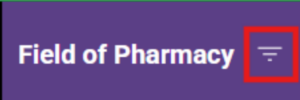 Click on the “filter” icon
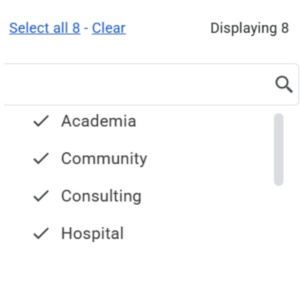 Scroll and select the fields you are interested in
3. Review Profiles Carefully
Before contacting someone, take time to read their:
- Professional bio
- Areas of experience
- Preferred way to connect
- Contact preferences (e.g., students, alumni, or both)
Only reach out if they have indicated they are open to being contacted by your group.
Example:
- This alumni specified to message them on LinkedIn before contacting them!
4. Choose the Appropriate Method of Contact
Respect the individual’s stated preferences:
- Use email if email is listed as a preferred method
- Use LinkedIn only if LinkedIn outreach is welcomed
- Avoid using personal contact information in ways not specified
Do not contact alumni through channels they have not approved.
5. Craft a Professional and Personalized Message
When reaching out:
- Introduce yourself clearly (name, program, graduation year if applicable)
- Explain how you found them through the database
- Mention a specific aspect of their background that interested you
- State your purpose concisely
- Be respectful of their time
Keep messages professional, polite, and brief.
6. Set Reasonable Expectations
- Alumni are volunteering their time
- Responses may take time, or they may be unable to respond
- A lack of response does not require follow-up unless invited
Do not send repeated messages if you do not receive a reply.
Example:
- A message from an alumni regarding response time
7. Prepare Before Meetings or Calls
If an alumnus agrees to connect:
- Review their background in advance
- Prepare thoughtful questions
- Be punctual and respectful of agreed time limits
- Follow through on any commitments you make
8. Follow Up with Gratitude
After a conversation:
- Send a brief thank-you message
- Acknowledge their time and insights
- Maintain professionalism in all future interactions
9. Use the Database Responsibly
- Information in this database is confidential
- Do not share or distribute contact details
- Do not use information for solicitation, recruitment, or marketing
- Use the database solely for professional networking and mentorship
Misuse of the database may result in revoked access.
10. Update or Access Issues
If you experience difficulty accessing the database or need assistance:
- Submit an access request using the provided form
Allow time for verification and response